In this article, we will see 55 ideas on how to find lots of information about any topic.
So, iif you want to find information about topic, you willl like this.
Now, Let’s see,
1. Use Smart Aggregators
Let tools collect and organize content for you:

- Raindrop.io (bookmark manager with tagging)
- Notion, Obsidian, or Evernote for organizing your notes!

2. Use Reputable Sources
Explore these based on your needs:
News & Current Events
- BBC, Reuters, The Guardian, NY Times
- Google News: https://news.google.com

Academic & In-depth Info
- Google Scholar: https://scholar.google.com

- JSTOR, ResearchGate, Semantic Scholar
- Library databases (many public libraries offer free access)
Encyclopedic Sources
- Britannica
- Stanford Encyclopedia of Philosophy (for philosophy-related topics)
3. Watch Videos
Use platforms like:
- YouTube for documentaries, explainers (channels like CrashCourse, Veritasium)
- Coursera for educational series

4. Use AI Tools for Summarizing & Exploring

Ask ChatGPT to:
- Summarize long articles
- Compare viewpoints
- Explain complex ideas simply
- Suggest related subtopics or questions to explore
5. Organize What You Find
Use tools like:
- Mind maps to visually organize information (e.g., MindMeister)

6. Go Deeper with Follow-up Questions
Ask:
- What are the causes and effects?
- How does this compare to similar topics?
- What are the controversies or debates?
- Who are the key figures or organizations?
7. Use Wikipedia (Wisely)

Wikipedia is a great starting point.
- Read the lead section for a quick summary.
- Scan headings to spot major areas of the topic.
- Check the “See also” and “References” sections to find other reliable sources.
8. Check Library Catalogs & Digital Libraries
University and public libraries often offer:
- Online databases (EBSCOhost, ProQuest)
- Digital encyclopedias
- eBook access
Search your local or institutional library website for access to these tools.
9. Explore Videos and Podcasts
For visual or auditory learners, or to find interviews, discussions, or summaries:
- Search YouTube, TED Talks, or Khan Academy
- Use Spotify, or Apple Podcasts for relevant episodes
- Search for:
- “[Topic] explained”
- “Beginner’s guide to [topic]”
- “Interview with [expert/topic]”
Here are even more ideas to help you find lots of information about any topic—from unconventional tools to deeper digging methods:
10. Visit Government & NGO Websites
For statistics, policy, health, or legal topics:
- USA.gov, data.gov, WHO.int, UN.org, World Bank, OECD
- These often have reports, infographics, databases, and case studies you will appreciate.
11. Read Books and eBooks
Books provide in-depth analysis and context. Try:
- Google Books (many preview pages are available)

- Project Gutenberg (for free public domain texts)
- Libby or OverDrive (for borrowing ebooks through your local library)
- Amazon Look Inside – to skim books before deciding to buy or borrow
Also for reading:
40 Benefits of Telegram channel
57 Benefits of Telegram for students
12. Browse Reference Sites & Databases
These offer curated, reliable content:
- Gale, Oxford Reference,
- Statista – for business data and statistics
- Pew Research Center – for social trends and polling data
13. Use Maps, Atlases, and Data Visualizations
For geography, history, economics, and science:
- Google Earth, ArcGIS, Our World in Data
- Gapminder, MapChart, Datawrapper
- Visual tools often reveal insights.
14. Find Primary Sources
For historical or original research:
- National Archives, Digital Public Library of America (DPLA)
- University collections or museum websites (e.g., Smithsonian, British Library)
- Search for: [topic] + “primary source” or “original document”
15. Interview Experts or Use Q&A Platforms
Real voices can give you unique insights:
- Reach out to professors, researchers, or professionals via LinkedIn or email
- Post questions on platforms like Reddit, Quora, Stack Exchange, or ResearchGate
16. Look at Infographics and Slide Decks
Sometimes visuals summarize complex info quickly:
- Use Pinterest, SlideShare, Canva Infographics
- Search:
- “[topic] infographic” or
- “[topic] presentation”
17. Audit Online Courses
Free course materials = structured knowledge:
- Coursera, edX, Khan Academy, MIT OpenCourseWare, YouTube Lectures
- Try: “Intro to [topic] site:edx.org”
18. Check Patent & Technical Databases
Great for tech, innovation, and product research:
Technical reports can reveal emerging trends or ideas not yet in mainstream media
19. Use Tools to Track New Info
Stay up-to-date as information evolves:
- Set Google Alerts for specific keywords
- Use Feedly to follow blogs, journals, and news sources in one place
- Use Pocket or Notion to save and organize what you find.
20. Mine Bibliographies
Found a great source? Check its references!
- Academic papers and books often cite dozens of related works
- Look for “Further Reading,” “References,” or “Works Cited”
21. Explore Open Data Projects
For raw data to analyze yourself:

- Local open data portals (e.g., city governments)
22. Explore Specialized Search Engines
Some topics require more than just Google:
- Wolfram Alpha – for data-driven answers and calculations
- BASE (Bielefeld Academic Search Engine) – for scholarly content: BASE
- WorldCat – to find books in libraries worldwide
- Internet Archive – for books, websites, and media archives Internet Archive
- Scopus or Web of Science – for peer-reviewed articles and citations (institutional access may be needed)
23. Explore GitHub Repositories
For technical, programming, or data-driven topics:
- Use the GitHub search bar to find projects, documentation, and experiments related to your topic.
- Look at README files, issue discussions, and project forks for context and current work.
—
24. Watch Documentaries & Docuseries
Long-form media often covers complex topics with expert commentary.
- Check Netflix, YouTube, PBS, CuriosityStream, or BBC iPlayer
- Search: “best documentaries about [topic]”
Tip: Use transcripts (YouTube auto-captions or subtitle download sites) to quote or save info.
—
25. Listen to Conference Talks & Webinars
Many professional events are recorded and published:
- TED Talks
- University department YouTube channels often publish lectures and guest panels
- Search YouTube or use:
- Academia.edu and Eventbrite for upcoming or recorded events
26. Search Legal Databases
For finding information about topic related to law, policy, regulation, or case studies:
- Justia, CourtListener, Legal Information Institute (LII)
- GovTrack (for U.S. legislation)
- EUR-Lex (for European Union law)
27. Use Timeline Generators & Historical Tools
Understanding how something developed helps you get more context.
- Timeline JS (to build your own)
- Histography.io – interactive historical timeline
- Use tools like ChronoZoom or HyperHistory for deeper timelines
28. Check Regional Sources
For cultural, political, or regional context:
- Use foreign news outlets (e.g., Al Jazeera, DW, NHK, etc.)
- Search in another language using Google Translate
- Use World News aggregators like Worldcrunch or PressReader
Tip: Add “site:.in” or “site:.fr” to Google searches to target specific countries.
29. Dig Through White Papers & Industry Reports
For business, tech, marketing, or innovation topics:
- Search: “[topic] white paper filetype:pdf”
Look at:
- McKinsey, Deloitte, PwC, Gartner
- CB Insights, Forrester, Harvard Business Review
- Tech company blogs or investor reports (e.g., Google Research, Meta AI)
30. Read Longform Journalism
Magazines often publish in-depth, investigative pieces.
- The Atlantic, The New Yorker, WIRED, Vox Longform, Aeon
- Search archives via Longform.org or Pocket’s Best of the Web
31. Explore Interactive Simulations or Tools
Learn through interaction:
- PhET Interactive Simulations (science/math)
- Gapminder Tools (global health/economy)
- Explorable Explanations (Ncase.me, Seeing Theory)
32. Use Citation Indexes
See who cited whom — build a research map.
- Use Google Scholar’s “Cited by” feature
- Find articles that cite the original work
- Explore related research through citations
- Assess the impact of the research in its field
- Connected Papers and Research Rabbit help visualize relationships between studies.
33. Browse University Course Pages
Many professors publish full syllabi and reading lists.
- Search: “[topic] syllabus site:.edu”
- Example: “postcolonial literature syllabus site:harvard.edu”
34. Read Comment Sections (With Caution)
Sometimes, insightful debate happens in the comments:
- Look for perspectives, critiques, or overlooked facts
Great for finding real-world reactions and different opinions.
35. Study Surveys & Polling Results
Understand public opinion, behavior, and demographics:
- Pew Research, Gallup, YouGov, Ipsos
- Check national statistics agencies like ONS (UK), INSEE (France), or Statistics Canada
36. Compare Multiple Perspectives
Actively seek contrasting sources:
- Search: “[topic] criticism” or “problems with [topic]”
- Use tools like AllSides or Ad Fontes Media Bias Chart to balance your media sources.
37. Use AI as a Research Assistant
Go beyond summaries:
Ask ChatGPT to help you:
- Generate subtopics
- Summarize dense papers
- Compare competing theories
- Translate foreign sources
- Create annotated bibliographies
Here are even more rare, creative, and expert-level methods to find tons of Information about any topic.
These go beyond conventional research and into hidden gems, hands-on methods, and non-obvious tools that professionals, journalists, and researchers use.
So, let’s see how to find info about a topic:
—
38. Reverse Image Search
If you have an image related to your topic:
- Use Google Images or TinEye

- Upload the image or paste the URL
- Discover:
- Original sources
- Context behind the image
- Related events or people
- Great for visual topics, viral content, or verifying sources.
—
39. Watch University Lecture Series
Many universities upload entire courses for free:
- Search YouTube, MIT OpenCourseWare, Yale Open Courses
- Try phrases like: “[topic] lecture series site:edu”
You’ll often get expert-level info with real-world context.
40. Search through FOIA Requests & Leaks
For journalism, policy, and investigative topics:
Explore public Freedom of Information Act (FOIA) databases for U.S. and international data
41. Use Wayback Machine for Archived Web Pages
If a website or article has been taken down:
Visit archive.org/web
- Paste the URL to view archived versions
Useful for:
- Deleted research
- Corporate announcements
- Changing narratives
42. Tap into Think Tanks
Think tanks offer policy research, briefings, and expert reports:
Search on sites like:
- Brookings Institution
- RAND Corporation
- Carnegie Endowment
- Cato Institute
- Chatham House
Great for finding information on topic like of international affairs, economics, security, and education.
43. Find Trade Publications
For industry-specific insights that don’t show up in mainstream media:
- Google: “[industry] trade publication”
E.g., “fashion trade publication”, “construction industry magazine” - Visit TradePub.com or AssociationsNow.com
44. Analyze Raw Datasets
If you want to make your own conclusions or visualizations:
- Use platforms like:
- Combine them with tools like Excel, Python, or Tableau to explore patterns.
45. Browse Radio Archives & Oral Histories
For historical, cultural, and sociological info:
- Check StoryCorps, BBC Archive, Library of Congress Sound Archive
- Search oral history projects info related to your topic
46. Explore Museums & Cultural Institutions Online
Museums have vast educational content:
- Use their online collections, virtual exhibits, and research portals:
- The Met, Smithsonian, British Museum, MoMA, V&A
47. Use Sentiment & Text Analysis Tools
To analyze online conversations or article tones:
- Tools like Hemingway App, Voyant Tools, MonkeyLearn, or TextRazor
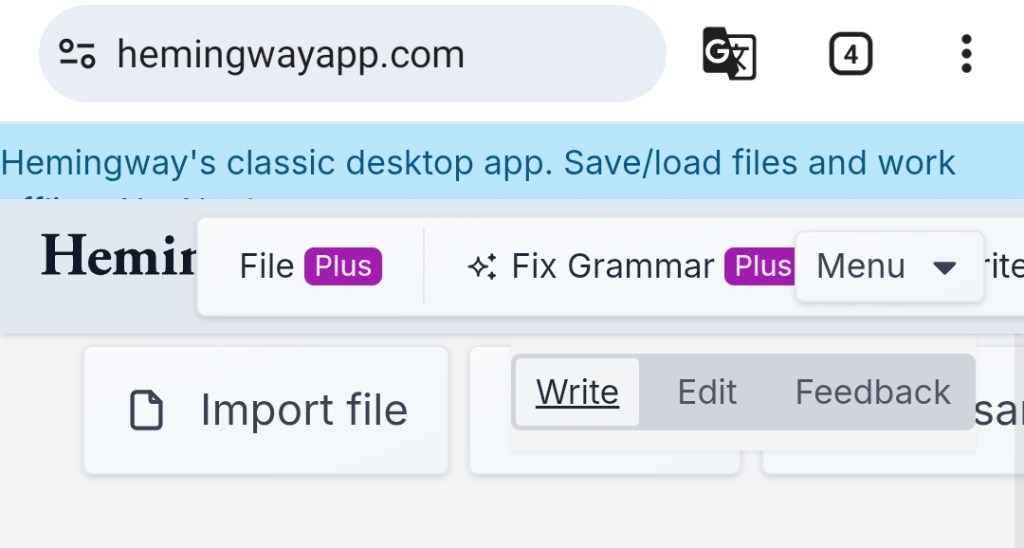
- Apply to articles, reviews, tweets, or Reddit posts to find opinions and bias
48. Dig Through Local Sources
Sometimes local content has more depth than global overviews:
- Search “[topic] + site:.gov”, site:.edu, or site:.org in a specific region
- Check local library digital archives, community newspapers, or state agency reports
49. Sign Up for Newsletters in the Niche
Experts often share ideas early through email lists:
- Sign up for newsletters from:
- Thought leaders (via Substack or Revue)
- Industry newsletters (e.g., Morning Brew, TLDR, Chartr)
- Academic departments or NGOs
50. Search in Other Languages
Translate your topic and search globally:
- Use DeepL, Google Translate, or ChatGPT to translate your queries.
- Add “site:.de” (Germany), “site:.fr” (France), etc. to search localized content
51. Request Unpublished Theses/Dissertations
Many universities publish abstracts, but not the full papers:
- Search PQDT (ProQuest Dissertations & Theses)
- Reach out to the author (contact info often included) for a PDF copy
52. Explore Preprint Servers
Access cutting-edge research before it’s peer-reviewed:
- arXiv (physics, math, comp sci)
- bioRxiv, medRxiv, SocArXiv, PsyArXiv
- Search for the newest findings—great for fast-moving fields.
53. Attend Virtual Conferences or Web Summits
Even if you can’t go in person:
- Attend webinars or join livestreams
- Look for free tickets, student discounts, or replays on YouTube
- Search: “free virtual [topic] conference 2025”
54. Use Simulation & Game-Based Learning
Gamification makes complex ideas easier to absorb:
- Use: iCivics, SimCityEDU, FoldIt, Budget Hero
- Educational VR/AR experiences in platforms like Google Expeditions or VRChat learning worlds
55. Broad Search
Use search engines like:
- DuckDuckGo

Use queries like:
- What is [topic]?
- History of [topic]
- Benefits and drawbacks of [topic]
Tip:
Use quotes “” for exact phrases and site: to search within a website
e.g., site:nytimes.com “climate change”
 FreeMur